Components / Hover Gallery
Hover Gallery
An interactive image gallery with smooth layout animations. Images are stacked by default and expand into a 2x2 grid on hover with beautiful transitions.
Installation
Install the component using the shadcn CLI:
npx shadcn@latest add ChinmayNoob/fern-ui/hover-galleryPreview
Hover over the gallery to see the images expand into a grid layout.



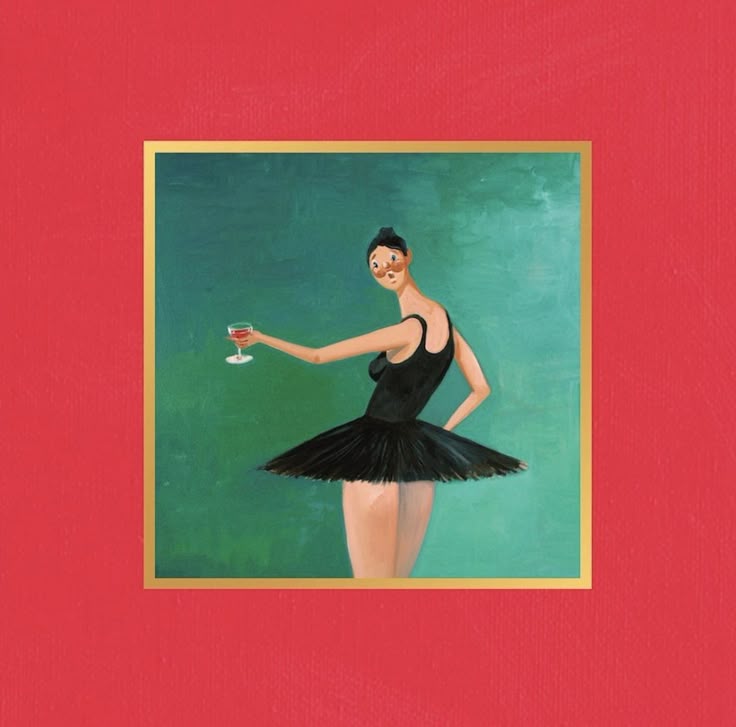
Usage
tsx
import HoverGallery from "@/components/hover-gallery/hover-gallery"

// First 3 images for the stacked view
const stackedImages = [
  { id: 1, bg: "#22c55e", img: "/images/photo1.jpg" },
  { id: 2, bg: "#ef4444", img: "/images/photo2.jpg" },
  { id: 3, bg: "#eab308", img: "/images/photo3.jpg" },
]

// 4th image for the bottom
const bottomImage = { id: 4, bg: "#3b82f6", img: "/images/photo4.jpg" }

export function Example() {
  return (
    <HoverGallery
      stackedImages={stackedImages}
      bottomImage={bottomImage}
      width="420px"
      height="450px"
    />
  )
}
Props
| Prop | Type | Default | Description |
|---|---|---|---|
| stackedImages | Element[] | defaultStackedImages | First 3 images for stacked view |
| bottomImage | Element | defaultBottomImage | 4th image shown at bottom |
| width | string | "420px" | Container width (CSS value) |
| height | string | "450px" | Container height (CSS value) |
| className | string | - | Custom class for wrapper |
Element Type
| Property | Type | Description |
|---|---|---|
| id | number | Unique identifier for layout animations |
| bg | string | Background color (fallback) |
| img | string | Image source URL |
Features
- Smooth layout animations powered by Framer Motion
- Stacked card view with rotation effects (-12°, 0°, +12°)
- 2x2 grid expansion on hover
- Shared
layoutIdfor seamless transitions - Customizable container dimensions
- Theme-aware with card and border styling
- Background color fallback for images
Animation Logic
- Default state: 3 cards stacked with rotation + 1 at bottom
- On hover: Stacked view fades out (opacity 0)
- Grid view fades in with
layoutIdtransition - Cards animate from their stacked positions to grid positions
- Uses
AnimatePresencewith popLayout mode
Dependencies
bash
npm install motionSource Code
tsx
"use client";

import { cn } from "@/lib/utils";
import { AnimatePresence, motion } from "motion/react";
import { useState } from "react";

type Element = {
    id: number;
    bg: string;
    img: string;
};

export interface HoverGalleryProps {
    /** First 3 stacked images */
    stackedImages?: Element[];
    /** 4th bottom image */
    bottomImage?: Element;
    /** Container width */
    width?: string;
    /** Container height */
    height?: string;
    /** Custom class name */
    className?: string;
}

const defaultStackedImages: Element[] = [
    { id: 1, bg: "#22c55e", img: "/albums/blonde.png" },
    { id: 2, bg: "#ef4444", img: "/images/college-dropout.jpg" },
    { id: 3, bg: "#eab308", img: "/images/graduation.jpg" },
];

const defaultBottomImage: Element = { id: 4, bg: "#3b82f6", img: "/images/mbdtf.jpg" };

const Gallery = (props: { item: Element; index?: number }) => {
    return (
        <motion.div
            className={cn(
                "rounded-2xl flex items-center justify-center h-[80%] w-[80%] max-h-[222px] origin-bottom overflow-hidden"
            )}
            layoutId={`box-${props.item.id}`}
            animate={{
                rotate: props.index === 0 ? -12 : props.index === 2 ? 12 : undefined,
            }}
            style={{
                gridRow: 1,
                gridColumn: 1,
                backgroundColor: props.item.bg,
            }}
        >
            <img src={props.item.img} alt={`Gallery item ${props.item.id}`} className="w-full h-full object-cover" />
        </motion.div>
    );
};

const HoverGallery = ({
    stackedImages = defaultStackedImages,
    bottomImage = defaultBottomImage,
    width = "420px",
    height = "450px",
    className,
}: HoverGalleryProps) => {
    const [isHovering, setIsHovering] = useState(false);

    const items = [
        {
            elements: stackedImages,
        },
    ];

    const allElements = items.flatMap((column) => column.elements);

    const elements = [
        ...allElements,
        bottomImage,
    ];

    return (
        <div className={cn("w-full h-full flex items-center justify-center", className)}>
            <motion.div
                onMouseEnter={() => setIsHovering(true)}
                onMouseLeave={() => setIsHovering(false)}
                className="rounded-[30px] px-4 py-5 relative overflow-hidden bg-card border border-border/50"
                style={{ width, height }}
            >
                <motion.div
                    className="w-full h-full gap-2 flex flex-col items-start justify-center"
                    layout
                    transition={{ duration: 0.5, ease: "easeInOut" }}
                >
                    {items.map((column, index) => (
                        <motion.div
                            className={cn(
                                "flex flex-col items-center justify-center gap-10 w-full h-full"
                            )}
                            key={index}
                            layout
                            animate={{
                                opacity: isHovering ? 0 : 1,
                                willChange: "auto",
                            }}
                        >
                            <div className="rounded-2xl cursor-pointer grid place-items-center flex-[2] w-full">
                                {column.elements.map((item, index) => (
                                    <Gallery item={item} index={index} key={index} />
                                ))}
                            </div>
                            <motion.div
                                className={cn(
                                    "rounded-2xl cursor-pointer flex items-center justify-center overflow-hidden flex-1 w-full h-full"
                                )}
                                layoutId={`box-${bottomImage.id}`}
                            >
                                <img
                                    src={bottomImage.img}
                                    alt={`Gallery item ${bottomImage.id}`}
                                    className="w-full h-full object-cover"
                                />
                            </motion.div>
                        </motion.div>
                    ))}
                </motion.div>
                {isHovering && (
                    <motion.div
                        initial={{ opacity: 0 }}
                        animate={{ opacity: 1, willChange: "auto" }}
                        transition={{ duration: 0.5, ease: "easeInOut" }}
                        className="absolute inset-0 w-full h-full overflow-hidden"
                    >
                        <AnimatePresence mode="popLayout">
                            <motion.div
                                className="grid grid-cols-2 gap-4 justify-center items-center h-full w-full p-4"
                                animate={{ opacity: 1, y: 0 }}
                                transition={{ delay: 0.3 }}
                            >
                                {elements.map(({ id, bg, img }, index) => (
                                    <motion.div
                                        key={index}
                                        className={cn(
                                            "rounded-2xl cursor-pointer flex items-center justify-center overflow-hidden h-full"
                                        )}
                                        layoutId={`box-${id}`}
                                    >
                                        <img
                                            src={img}
                                            alt={`Gallery item ${id}`}
                                            className="w-full h-full object-cover"
                                        />
                                    </motion.div>
                                ))}
                            </motion.div>
                        </AnimatePresence>
                    </motion.div>
                )}
            </motion.div>
        </div>
    );
};

export default HoverGallery;
export { Gallery };
export type { Element as GalleryItem };